
Quick Start: Create a Paper Draft with a Prompt
New to Nubint AI? Try "Start with a Prompt." Fill in the document prompt
to set up the basic paper structure and autocomplete settings. Then write a
draft with the Draft Writer agent, continue with autocomplete, and deepen your
work with the Paper Editor and Research Agents — the most natural workflow.
Find the Right Feature for Your Situation
| Your Situation | Recommended Feature |
|---|---|
| I'm new to Nubint AI | Start with a Prompt |
| I haven't decided on a topic yet | Topic Generator Agent |
| I want to start drafting | Draft Writer Agent |
| I want to systematically survey prior research | Literature Survey Agent |
| I want to import my Zotero library | Library Import |
Step 1: Fill in the Prompt
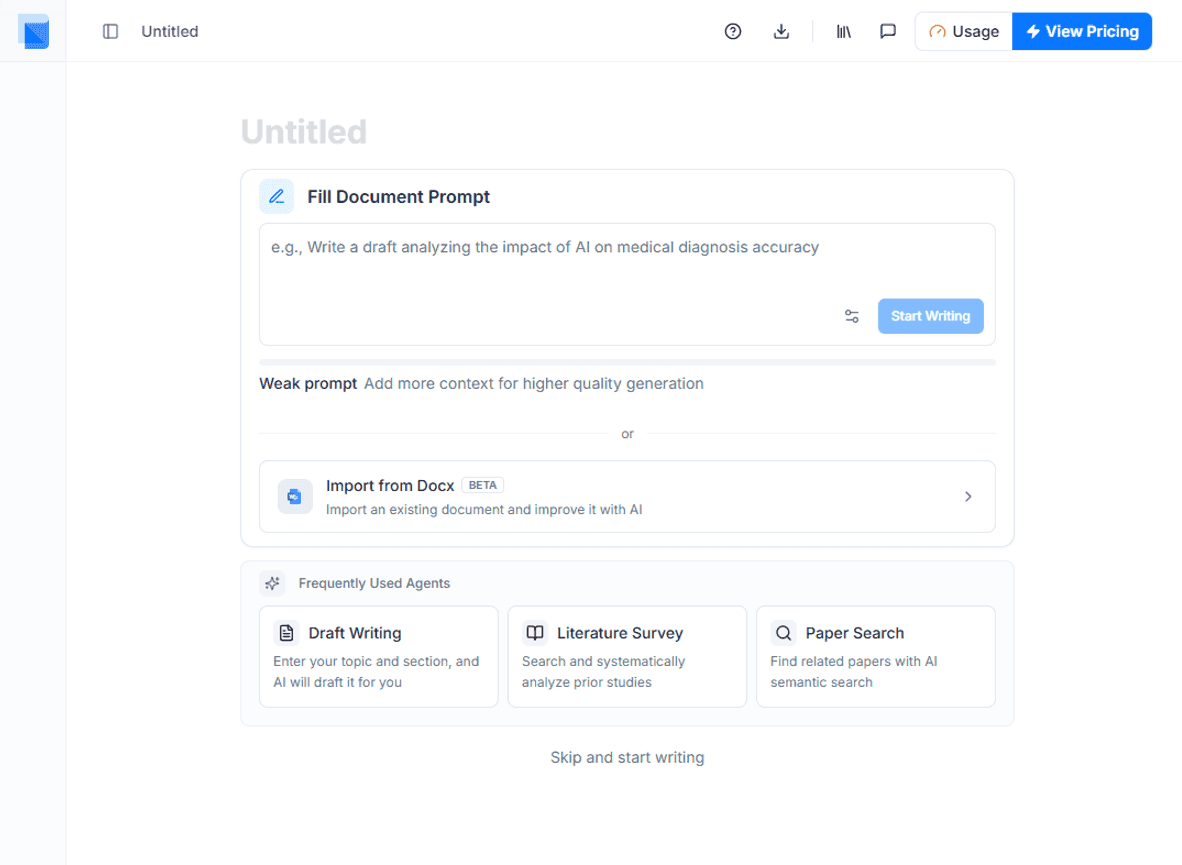
When you create a new document, the Start with a Prompt screen appears. Enter your research topic.
Step 2: Write Your Draft
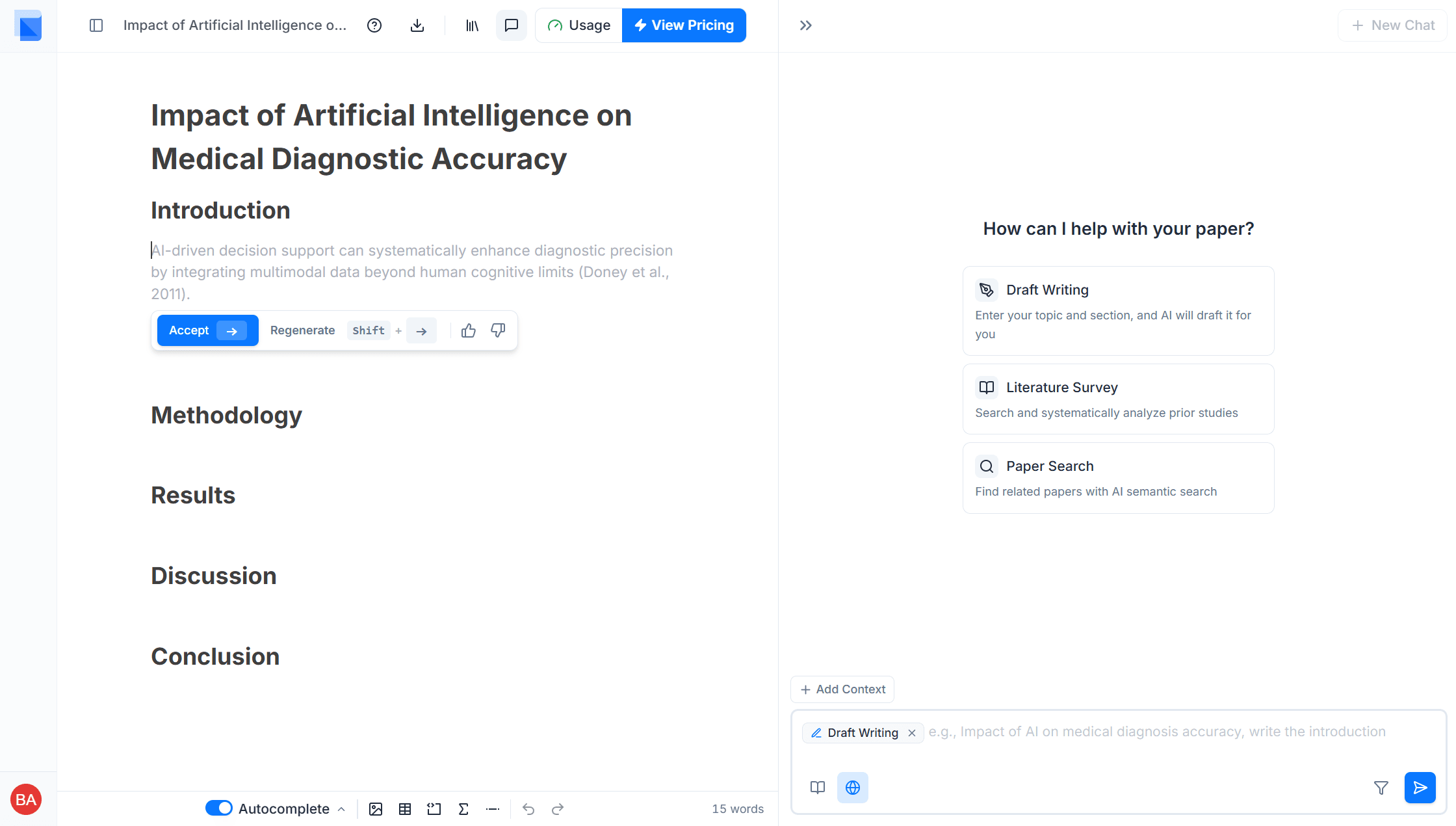
After submitting the prompt, the basic paper structure and autocomplete settings are ready. Place your cursor in the editor and Autocomplete will suggest the next sentence. For a longer, well-structured draft, use the Draft Writer Agent in the AI Chat panel on the right to write section by section.
Step 3: Deepen with Paper Editor & Research Agents
Once the draft is complete, use the Paper Editor's features and Research Agents to refine your paper.
- Autocomplete — AI suggests the next sentence so you can write naturally
- AI Editing · Citation Insertion — Proofread sentences and add references directly in the Paper Editor
- Research Agents — Use specialized agents for literature survey, citation recommendation, methodology advice, peer review, and more from the AI Chat panel