
What Is the AI Paper Editor?
Last updated: 2026-03-28·2 min read
The AI Paper Editor is an academic writing tool with a three-panel layout:
Library, Editor, and AI Chat. It combines six features: text formatting,
citation insertion, AI autocomplete, AI editing, DOCX import, and DOCX export,
covering every step from draft to final output.
Screen Layout
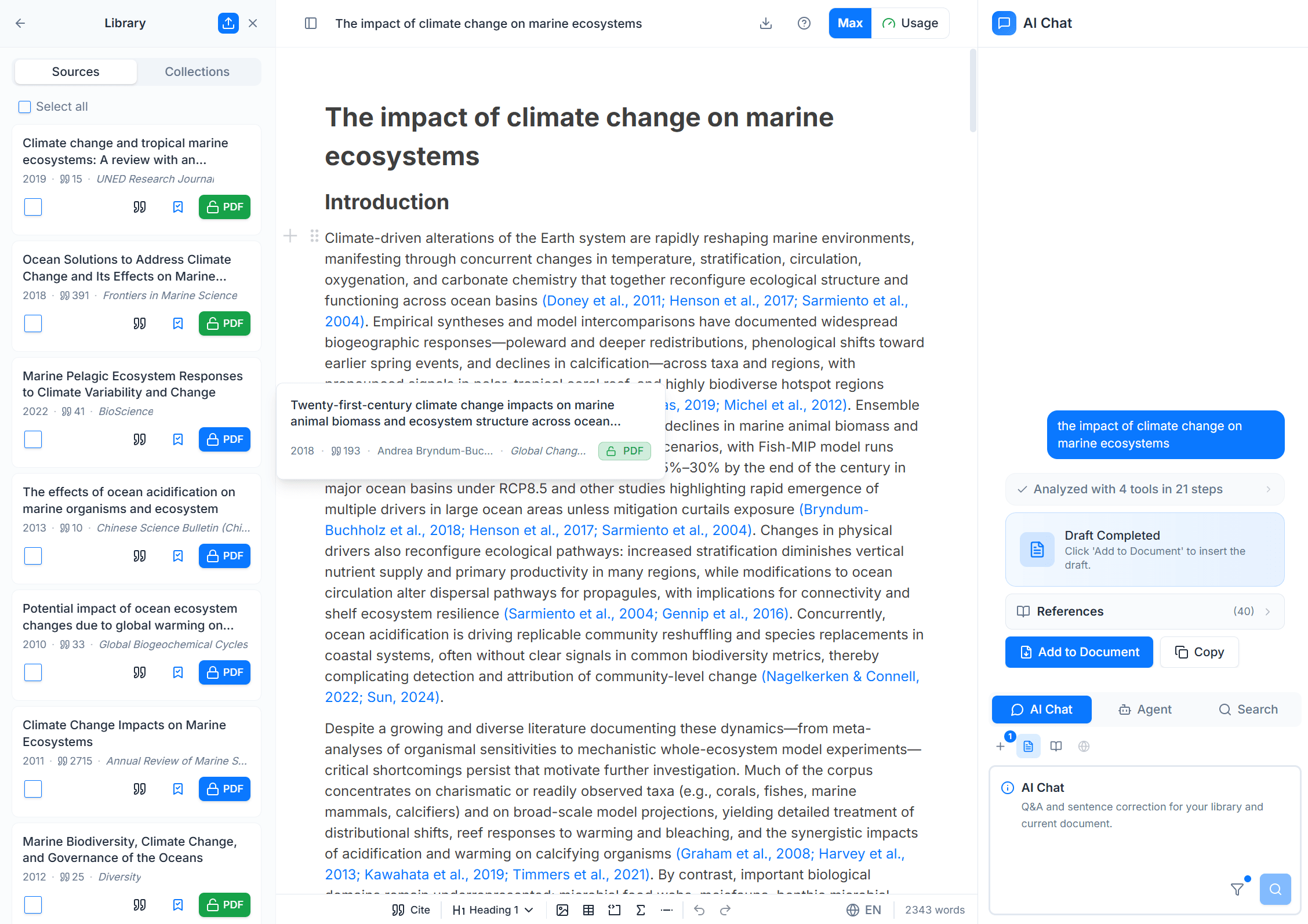
Nubint AI consists of three panels, and the AI Paper Editor is located in the center panel.
| Position | Panel | Role |
|---|---|---|
| Left | Library | Paper storage and management, Zotero import |
| Center | AI Paper Editor | Autocomplete, AI editing, citation insertion, document writing |
| Right | AI Chat | Research agents, paper search |
Key Features of the AI Paper Editor
It supports text formatting, citation insertion, AI autocomplete, AI editing, and Docx import.
| Feature | Description |
|---|---|
| Text Formatting | Drag to show toolbar, / slash menu for quick heading, list, table, equation insertion |
| Citation Insertion | Type @ to search library papers and add citations. APA, Chicago, etc. auto-formatted |
| AI Autocomplete | Place your cursor and AI suggests the next sentence. Press Tab to accept |
| AI Editing | Select text and refine with natural language commands ("more academic", "summarize", "expand", etc.) |
| Docx Import | Import existing Word documents (.docx) and continue editing with AI features |
| Docx Export | Export as APA 7th edition Word document. References auto-included |