
What Is AI Chat?
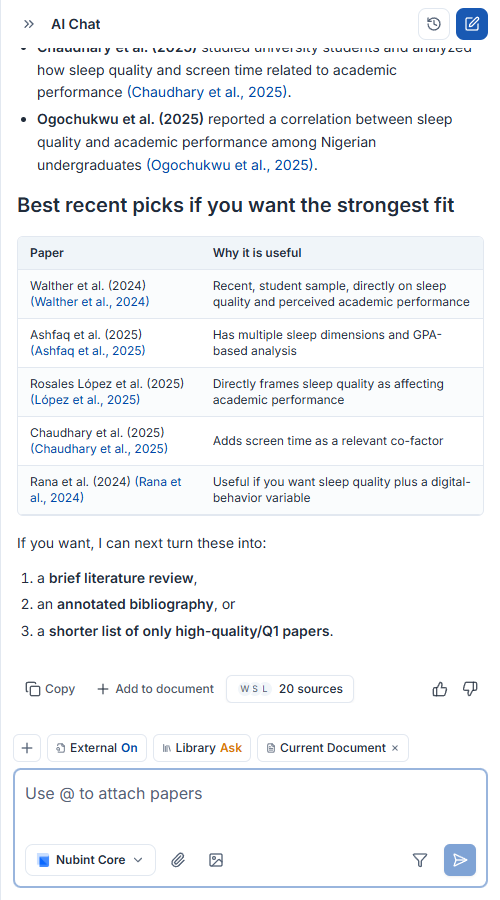
What can you do with AI Chat?
You can brainstorm topics and hypotheses, search and summarize papers, ask questions about saved papers, and write cited drafts — all through conversation.
- Brainstorming — Ask freely about topics, hypotheses, and methodology to develop ideas.
- Paper search — Find relevant papers from a 460M+ academic database and use them as evidence. (Controlled with search toggles)
- Paper Q&A — Ask questions about papers you attached or saved to your library.
- Run agents — Launch research agents like literature review or hypothesis generation directly from chat.
How is AI Chat different from research agents?
AI Chat is a unified conversation window that understands your intent and runs searches and tools on its own, while research agents are individual features that follow a fixed workflow.
For general questions, just type in the chat. When you need a specific workflow, select an agent from the list above the input. See how to use AI research agents for details.
How do you get more accurate answers?
Save papers to your library or attach PDFs, and keep the search toggles on so AI grounds its answers in actual paper content.
- Attach a PDF — Connect a paper you have on hand
- Add context — Specify papers or collections from your library
- Turn on search toggles — Control external and library paper search
Is there an input length limit?
Chat input is limited to 3,000 characters per message. For longer materials, pass them via PDF attachment or context instead of pasting them into the message.
Does AI Chat consume credits?
Yes. AI Chat and agent runs deduct credits based on computation. See managing credits for checking your balance and purchasing more.